SNGPL Bill Payment in 2025: Your Complete Guide
By Salman Khan
Manage your SNGPL bill payment easily through secure digital platforms, banking apps, or traditional methods. Avoid delays, track payments, and lodge complaints with ease using SNGPL’s updated tools and services.
What is SNGPL?
Sui Northern Gas Pipelines Limited (SNGPL) is Pakistan’s largest natural gas utility, established in 1963. It serves over 7.3 million customers across Punjab, Khyber Pakhtunkhwa and Islamabad. The company handles both transmission and distribution of natural gas, catering to domestic, commercial, and industrial sectors.
Why SNGPL Bill Payment Matters
Timely payment of your SNGPL secures you from late charges and potential disconnection. Whether you are a gharilu (domestic) user, commercial establishment, or industrial unit, these methods apply to all SNGPL account holders. Each channel is designed for speed, convenience, and reliability.
How to Pay SNGPL Bill in 2025

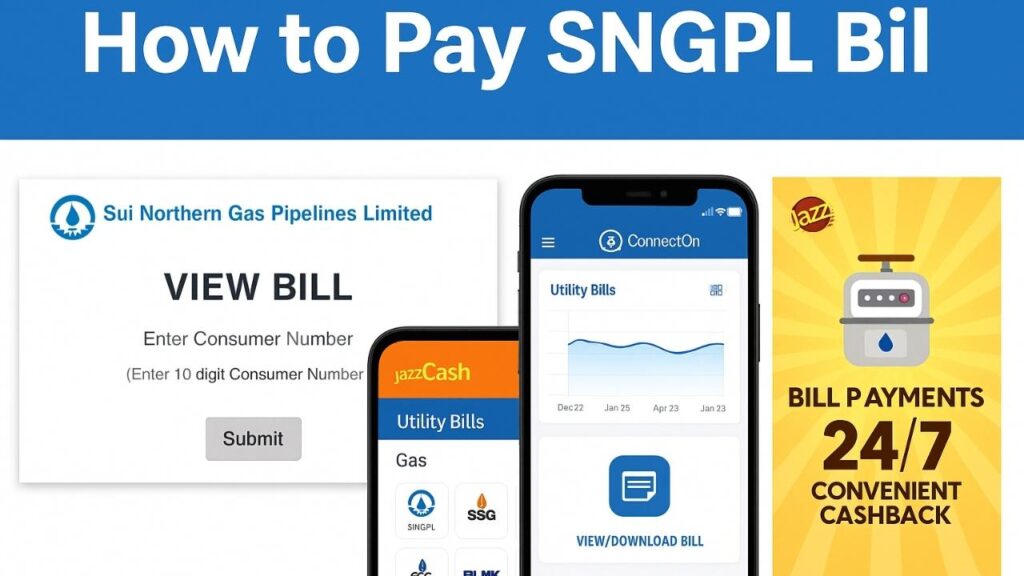
Enter your 10‑digit Consumer Number on SNGPL’s View Bill page to access current bill details
Pay via SNGPL Official Website
- View Bill Payment Options .
- Enter your 10-digit Consumer Number from your bill.
- Review the bill details: due date and payable amount.
- Use the linked bank portal to pay via credit/debit card.
Through Mobile Banking Apps
- Log in to your bank’s app (e.g., HBL, UBL, Meezan).
- Navigate to Bill Payments → Select SNGPL.
- Input your Consumer Number.
- Confirm payment. Receive a confirmation SMS.
Using Branchless Banking Apps (JazzCash, EasyPaisa)

JazzCash’s Utility Bills screen includes SNGPL among gas providers; barcode scanning is also supported
- Open the JazzCash or EasyPaisa app.
- Tap Bill Pay → Select Gas → Choose SNGPL.
- Enter your 10-digit Consumer Number.
- Confirm and pay.
Note: JazzCash supports bill barcode scanning for faster input.
Learn more about JazzCash or EasyPaisa features.
Via ATMs
- Insert your debit card into any ATM supporting bill payments.
- Choose Utility Bill → Select SNGPL.
- Enter your Consumer Number.
- Verify and complete the transaction.
- Collect your receipt as proof.
Over-the-Counter (OTC) Payments
- Visit branches of HBL, UBL, MCB, Askari, or Allied Bank.
- Present your physical bill.
- You can also pay at GPOs/NPOs or NADRA e-Sahulat Kiosks.
Need Help? Here’s How to Lodge Complaints
- Call Helpline 1199 – for all service-related complaints.
- Online Complaint Portal – available in Customer Services.
- SNGPL ConnectOn App – to file and track complaints
SNGPL ConnectOn Mobile App

SNGPL ConnectOn app displays consumption trends and ‘View/Download Bill’ options for easy access.
Available on Android and iOS. Key features include:
- Apply for new connections.
- Download bills and check consumption.
- Pay bills via app.
- File and track complaints.
- View tariffs and calculate estimates.
- Manage multiple accounts.
- Report gas theft or apply for meter transfer. Download App Here
E-Bill Alerts via SMS/Email
Register on SNGPL E-Bill to receive monthly bills directly via SMS or email — no paper needed.
Advance Payment Plan
Pay a lump sum based on past usage and potentially receive a discount. This helps avoid monthly hassles and late fees.
FAQs – Quick Answers for Common Problems
How can I check my SNGPL bill online?
Visit SNGPL View Bill and enter your 10-digit Consumer Number.
Can I pay after the due date?
Yes, but late payment surcharge will apply. The post-due amount is shown on the bill.
What if my online payment fails?
Confirm if the amount was debited. If yes, contact your bank with transaction details. If not, retry or switch to another method.
Where is my Consumer Number?
It’s printed at the top of your gas bill — typically a 10-digit ID.
Is there an SMS service to fetch the bill?
Not currently. However, SNGPL offers SMS alerts if you opt for e-billing through the website or app.
Insider Tips & Regional Variations
- Rural Areas & Physical Bills: In some regions, physical bill delivery is delayed. Always check your online bill or use the mobile app.
- QR Code Feature: Some payment apps are integrating QR bill scanning — this will speed up transactions.
- High Bill Clarification: Check “Estimated Bill” adjustments and raise a meter reading complaint if needed.
- Security Deposit Installments: OGRA-approved installments may appear as “shortfall” charges. Verify at your local office if unclear.
Final Word
Managing your SNGPL Bill Payment in 2025 has never been easier. With digital apps, mobile wallets, ATMs, and conventional banking still available, every consumer — urban or rural — has options tailored to their needs. Always double-check your Consumer Number, track payment receipts, and register for e-billing to stay informed and in control.
Bookmark this guide for future reference and share it with anyone navigating Pakistan’s utility billing system.